
Leaderboard


Popular Content
Showing content with the highest reputation on 05/13/2025 in all areas
-
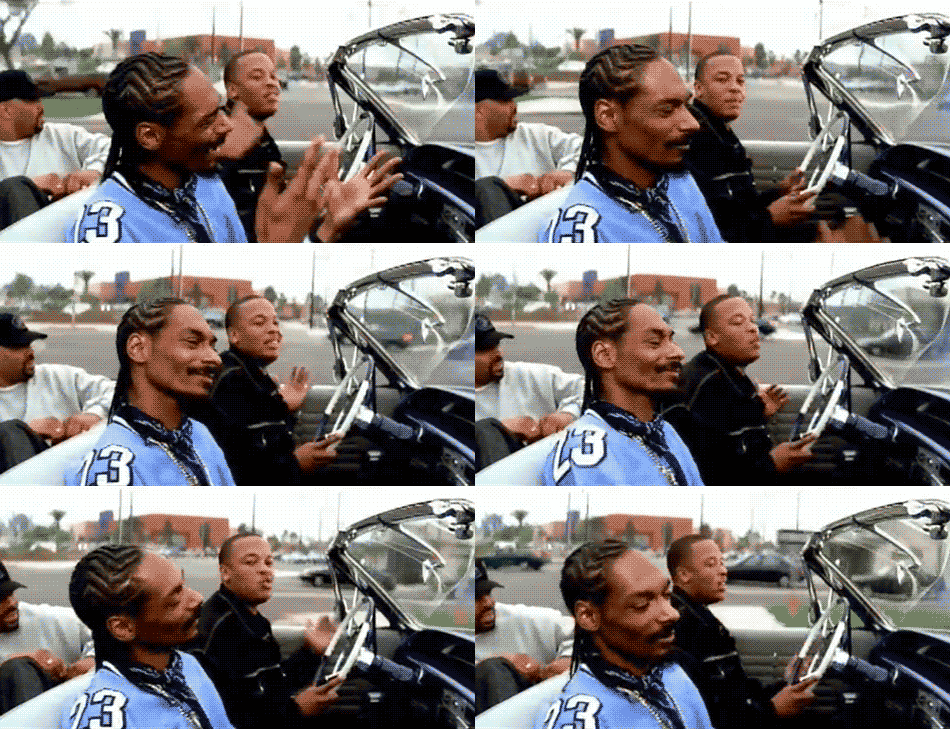
I am not sure we will be visiting the pond. I am however sure that my Spotify Playlist will be playing the best 90s West-Coast Hiphop
 5 points
 -
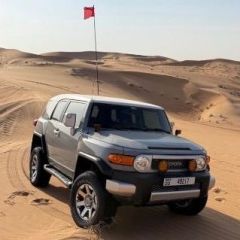
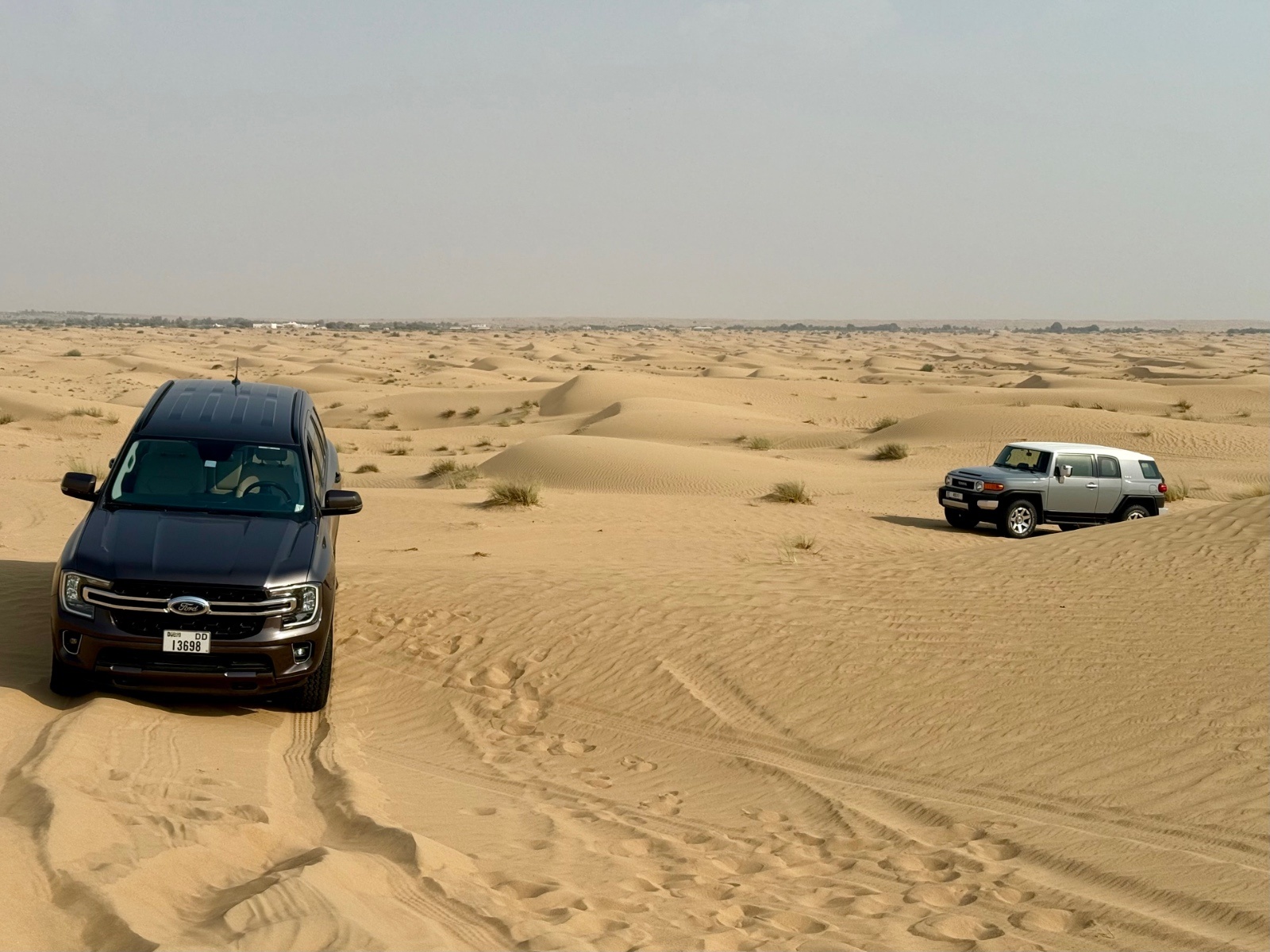
Hi All, Herman here, just had the masterclass with Gaurav last weekend and looking very much forward to joining my first drive with the group. Please share your vehicle details - Toyota - FJ Cruiser - Grey - 2019 (or Ford - Everest - Brown - 2024) Please share your prior off-road experience. The masterclass last weekend Confirm your vehicle has front and rear tow hooks/eyelets. Yes. 2 front, 1 back (eyelets) Confirm you have a programmable radio, compressor and safety flag. Have them. FJ has a compressor. See you all soon!
 2 points
 -
I love the way Snoop is showing west coast gesture and Dre is waving the palm like: whaaat? 4 pop outs1 point
-
DEATH BOWLLLL 🔥🔥🔥🥣🥣🥣1 point
-
Just like any other sport or hobby, off road driving too has it's own etiquette's. Often times these are not spoken out loud or mentioned in public to not to embarrass anyone. If you like to continue off road driving, you should know these basic offroad driving etiquette's and follow them. Pay 100% undivided attention to the instructions: Whether it's in briefing or on radio communication while recovering, give your 100% attention and if you cannot due to some incoming call or passenger distraction, ask them to repeat. Most of the instructions are given so that you can drive safely. If you still live in the mobile world or loud music or radio volume turned down, you will miss out on critical safety instruction that can end up breaking your 4x4 or bones, seriously. Follow the instruction PRECISELY: From as simple as deflate to 12-14 PSI, drive in HI gear, engage to LO as soon as you get stuck. These instructions have been given to YOU for YOUR safety and enhancing your offroad driving experience. If you deflate to 22 PSI instead of 12, you will have endless refusals, stucks and A/T Transmission & Engine will soon overheat. If you don't engage on LO as soon as you get stuck, you will lose the most critical surface area in which LO gear could have saved the day, rather than toiling in HI gear for first few minutes and making the stuck even more worst for your car. Acknowledge the message: Always acknowledge the radio messages as the reliability of radio communication is highly questionable. Step out and help: When you are stuck and someone is helping you, it's a BASIC MANNER to step out of your car and help the Marshal or senior member who is helping you. You can help them clearing the sand, fixing the rope or inspect the stuck or plan of recovery. Sitting inside a stuck vehicle and waiting is the worst and most offending thing to do. If someone is helping you to check tire pressure, then step out and observe, how to delate to precise PSI. Disclaimer: In some 1% tricky angles or situation, if you have a doubt or difficulty to come out, ask the Marshal or senior member: If its safe for you to step out? Please don't assume and sit inside. Observe and learn: Every stuck and recovery has a lot to teach. Observe and learn from your stucks and discuss with Marshals how to not to get stuck again in a similar way. If you don't observe and learn you will end up doing the same mistakes over and over again. Learn Vs Serve: All the knowledge and experience are there to help you learn offroading and not just to serve you. So that as soon as you learn, you start practising it and become more capable offroader and be able to help others in the future.1 point
-
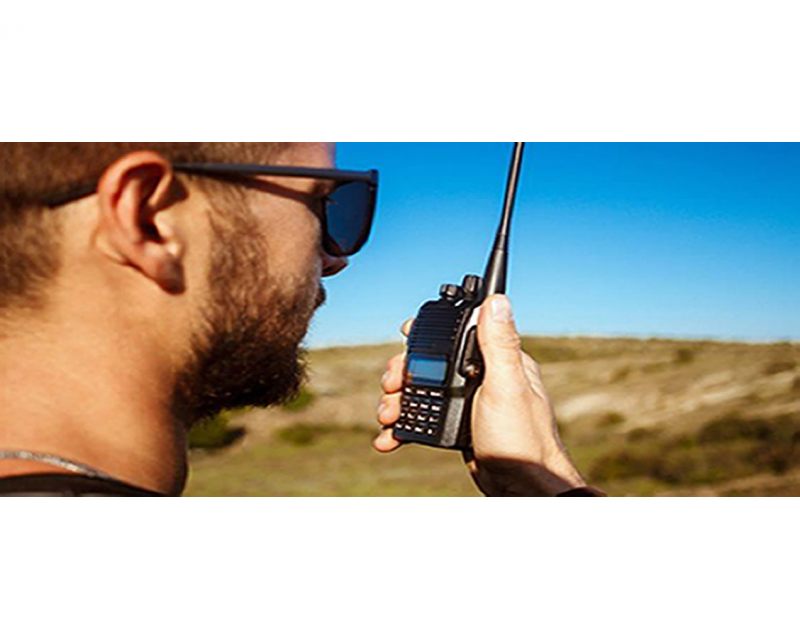 Two-Way Radio Guidelines A two-way radio is an essential safety device during every Carnity Offroad Club drive. It is the primary means of communication between the convoy members. Before the Drive Every participant must bring their own two-way radio. We highly recommend programming your radio with the Carnity frequencies listed below beforehand. We do not provide spare radios or program radios at the meeting point. For your very first club drive we can lend you a radio for that day only. Ensure your battery is fully charged before every drive. No radio = No drive. If you need help choosing, programming or operating your radio, simply create a topic on the Carnity website. Our community will gladly assist you. Radio Channels Carnity Offroad Club uses multiple radio channels so that several convoys can operate simultaneously without interfering with one another. Your Drive Lead will always announce the channel to use before the convoy starts. Recommended Radio Models and Brands UHF Two-Way Radio (400-470Mhz operating range). (VHF will not work). Handheld radio (built-in models can be purchased as extra but you need at least one handheld model. Recommended brands are: Baofeng (UV5R, UV5RH, UV5R Mini), Crony or Motorola MT777, TYT, Make sure it's equipped with a keypad so you can enter the frequency. Do not buy the models without keypad unless you are savvy enough to program with a separate USB cable and Chirp Software. Recommended Radio Settings For best compatibility with other convoy members, we recommend: Frequency Step: 6.25 kHz CTCSS / DCS: Disabled (unless instructed otherwise) VOX: Off Radio Etiquette Listen before transmitting. Keep messages short and clear. Do not interrupt emergency communications. Use the radio for convoy-related communication only. Follow the instructions of the Drive Lead and Marshals. The 10 radio frequencies are listed below: Technical Details STEP FREQUENCY: on the FM band, frequencies are spaced from each-other at a certain bandwidth. The Step frequency is basically the incremental change in your radio when you turn the rotary knob on top of your radio. When you program the radio to a certain frequency, you will need to make sure the appropriate step frequency has been set correctly. (see on the above frequency list). PTT: Short for PUSH-TO-TALK: This is the button on the side of your radio that you push when you want to broadcast a message. MON: Most radios have a Monitor button. When pushed you are basically monitoring the channel. If no-one is broadcasting you will just hear noise. But this is useful to set your desired volume. SQL or Squelch: To make sure that your radio does not pickup every little signal, the squelch acts as a gatekeeper to only allow a broadcast on your radio when it is strong enough or nearby enough. If you encounter a lot of noise that's being picked up by the radio, try changing the SQL setting a little bit. A higher setting makes the radio less sensitive to noise. RX and TX frequencies: RX stands for Receiving frequency, which TX stands for transmitting frequency. in Carnity we transmit and receive on the same channels. DCS / CT codes: These are basically encryption settings that allow a user to make sure only radios with exact same CT codes can listen in on the chatter. As these settings are confusing and complex, they should not be used (CT should not be showing on your display). Programming the Motorola/Crony MT777: Note: This radio has 2 operating modes called "Frequency" and "Channel". To switch between these modes, keep the ENTER button pressed while switching on the radio. Pressing the VFO/MR button while you're in Frequency mode will bring you to the combined mode, which is basically a screen that shows both the channel and the frequency. You can use either one of these modes during operation. To Program the Channels: 1. Make sure your radio is switched off. 2. Press the Moni (black button on top of the orange one on your left side), and MENU key together while switching on the radio. 3. Wait for the set to display SELF (which means manual setup). 4. Press Enter and it will show the Channel number. 5. You can choose which channel to program by selecting it from the rotary selector knob on the top of your device. 6. Once you have the desired channel, press ENTER. 7. Type your first frequency you want to program. 8. Press ENTER on every setting below to go through the advanced settings and verify if they are programmed as following: (If above settings are not correct they can be changed with the rotary knob on the top keep pressing enter until your set displays the next channel to be set). 03=OFF (if a number is showing here, push the *Lock button until OFF appears). 04= Enter the same frequency as the one you want to program. 05= OFF (if a number is showing here, push the *Lock button until OFF appears). 06= OFF 07= ADD 08= HIGH(H) 09= NARROW 10=-------- 9. Repeat from Step 5 to program the rest of your channels. Very useful Youtube video below: method for adding a single frequency later on, without going through the whole SELF programming mode again: 1. Make sure the radio is in Frequency Mode. Type in the frequency you want to program. E.g 446.00625 2. Press MENU and then press the VFO/MR button. The channel number will start to blink. 3. Use the rotary selector knob to select on which channel you want to save this frequency. 4. Press VFO/MR button again to confirm and exit. Keypad can be locked by pushing the * LOCK button for a few seconds. --------------------------------------------------------------------------------------------------------------------------------------------------- Programming the Crony CN888: Note: This radio has 3 operating modes called "Frequency", "VFO", and "Channel". You can toggle between these modes by pressing the orange Function button on the top left corner, followed by pressing 1 (Mode). Programming the radio as described below can only be done in VFO mode. 1. Switch on the radio. 2. Press the Function Key (orange button on top left corner). 3. Press 4 (STEP) until it shows 6.25. Press EXIT to confirm. 4. Now type the first frequency you want to program. Eg. 446.00625 5. Now press the # button. The Channel number in the corner of the display will start to blink. 6. Select with the A (up) or B(down) buttons to choose wich channel you want to save the frequency. 7. Press the C button. the radio will confirm by saying "SAVED AS RX FREQUENCY" 8. Press the # button again. The Channel number in the corner of the display will start to blink. 9. Press the D button. the radio will confirm by saying "SAVED AS TX FREQUENCY" Keypad can be locked by pushing the Function button, followed by the *F.L button. Programming the Baofeng UV5-R: When buying a radio like the Baofeng UV5R, many certain frequencies and channels are already programmed into the radio, but these are different from the ones we use in Carnity. As you will be programming 5 new channels onto Channel number 1 till 5, it is important to first delete these existing frequencies stored in those channels. You can do that as following: Step 1: Delete the existing channels from channel 1 till 5: 1- Switch on the radio 2- Press the MENU button followed by the buttons 2 and 8. (Menu 28). 3- Press MENU, and then use the UP/DOWN arrows to select which channel you want to clear. 4- Select CH1 and press MENU again, you will hear "delete channel, followed by confirmed". 5- Now go back to step 3 and do the same for the following channels (CH2-CH3-CH4-CH5). 6- Now all 5 channels are clear and ready to be programmed. Step 2: Set the step-frequency: - Switch on the radio - Press the MENU button and with the up and down buttons select STEP frequency. - Change this to 6.25 and press MENU to confirm. - Press EXIT to go back to the main menu. Step 3 Program the new frequencies in the radio: 1- Press the VFO button. You will hear the confirmation “frequency mode”. 2- Make sure the arrow is on the top line. If not, press the blue A/B button. 3- Type in the frequency you want to save. I.e 446.00625 4- Press MENU, followed by button 2 and 7 (menu 27). You will see MEM-CH. 5- Press MENU and now use the up and down buttons to select the channel you want to save it on. 6- Press MENU again to confirm. Your first frequency is now stored under channel 01. (receiving memory). 7- Press MENU TWICE again to confirm. Your first frequency is now stored under channel 01. (transmitting memory). 8- Press EXIT and repeat from step 3 onwards to program your remaining channels. Note: To program the Carnity backup frequency channel 5, you will need to set the step frequency to 12.5. When done, follow the same steps to program and save it under channel 05. You can either program these channels one by one into your radio, which is the easiest for you later on, or you can just enter the frequency without saving it. Some extra notes: Option 5 in your menu should be on Narrowband. Option 10 and 12 in your menu should be set to OFF (we are not using CT codes). BaoFeng_UV-5R_Manual_(1).pdf1 point
 -
Do you know your roles and responsibilities while off-roading? Offroad driving is one of the most famous adventure activities in the UAE. But due to the nature of this adventurous motorsport sometimes things do get unpleasant and everyone involved needs to know their roles and responsibilities clearly. Desert worthiness vehicle: While off-roading, every vehicle get pushed to its limit and for this reason, every off-roader needs to maintain, check and fix existing vehicle problems before every drive. Follow your owner's manual schedule maintenance for extreme driving (harsh environment) intervals and not standard road driving intervals. Preventive maintenance will save you much hassle and time in the long run. We are not mechanics - As much as Carnity trip lead and support offer the first level of vehicle assistance when things go wrong, but they are not mechanic and no one should rely on that emergency support to avoid any maintenance. We are not an Insurance provider - In case of an accident, please follow the UAE road accidents procedures and check with your car insurance company about off-road coverage and recovery plan (if any). We are not a desert recovery company - If your vehicle breaks down during the drive, Carnity trip lead and support will try as much as they can to help, but their vehicles aren't tow trucks to recover a dead vehicle or partially working vehicle out of the deep desert. There are professional desert recovery companies like AAA to assist you and take full responsibility for not causing any further damage while recovering a non-moving vehicle from the desert. We will never leave you alone - In case you ever need to leave your vehicle inside the desert to arrange insurance or recovery, then Carnity trip lead and support will drive you down to the nearest tarmac exit. Mechanical Damage / Failure: Every offroader is responsible for his/her own car failure/damage. Especially in the offroad use some minor long-pending issues might amplifies due to the off-road stress and it should not be blamed on anyone other than the owner of the car. If you have any remote doubt that something might fail in the upcoming off-road drive, then please get that fixed first and then join for next week's drive, rather than taking chances and/or increasing the existing damage. It's always a good practice to join a newbie drive first after some crucial repairs or maintenance to test your vehicle again and then join the Fewbie drive and then Intermediate (as per your off-road rank eligibility). Breakdown log reporting: Every trip lead is reporting the vehicle breakdown after the drive. Occasional breakdowns or accidents are totally acceptable, but repeat breakdown of the same vehicle will not be appreciated. Please look into repeat vehicle breakdown seriously before it becomes a concern for everyone. Two cars involved in an offroad accident: Please decide on the spot, whose fault it is, and report to the neighboring police station for appropriate green and red paper for repairs. Most insurance companies don't cover offroad damage so please make sure if you drive expensive 4x4 with comprehensive insurance, please check your offroad cover properly. Take a lot of pictures and videos of the accident site as Police always ask for this and also save the coordinates of the location as sometimes police like to revisit that area to verify the accident. Single car damage in offroad: In case your car flips or rollover or have any impact damage, take a lot of pictures and videos of the incident as Police always ask for this and also save the coordinates of the location. Tow point failure damage: Every offroader is responsible for their own car tow point strength, integrity, and load taking capacity. If your car tow point fails during "ANY" sort of recovery and damages the other offroader car, then you will be liable for all the damages including the car, driver, and passenger bodily injuries. To avoid such a situation always recover gently and gradually increase the intensity of the tug. If you still suspect that a lot harder tug is needed use the support strap, dampers, or sandbag to secure both ends of the tow rope. Damage while recovering: As much as every trip lead and support are trained to prevent the damage while recovering any vehicle, but the ultimate responsibility of any damage while recovering lies with the owner of the stuck car. Scenario 1: In some cases when your car nosedive in the sand pocket, the front bumper damage is already done, but it becomes visible when your car gets fully recovered out of the pocket. Scenario 2: While recovering a stuck car by a tug, if the stuck car doesn’t stop early enough after the recovery and hit the recovering car, then the stuck car owner is at fault and liable for all damages involved. Lubes / Spare Sharing: Many offroaders do carry a lot of spare fluids, oil, coolant, and other spare parts for emergency situations. If your car breaks down and someone offers you their spares or lubes, have the courtesy to pay or replace that in the next drive. Offroad Gear: Every offroader is 100% responsible for his/her own off-road gear, tools, and equipment and should know how to use them safely and how to take care of them in terms of regular maintenance (if any). If you lend your tow rope to someone, it's your responsibility to make sure that it doesn't have a knot. If you lend your jack, either stay around to see if it's placed on flat ground to not bend or brief them properly. If you lend your toolbox or tools, you need to make sure it's used as intended and they don't break. If you winch someone, you should know your winch capacity to do the recovery safely. If you lend your compressor, make sure it's not overheating or wait for it to cool down. Shovel, flag, radio, etc. is also your own responsibility & share it at your own risk. Off-road Promotions: As per Carnity Off-road Structure every off-roader has been assigned an off-road rank based on your driving skills, vehicle capability, and overall attitude towards off-roading. These promotions, ranks, and structures are in place to make sure that everyone is completely safe including you and your vehicle during all off-road drives. Due to safety reasons, there is zero-tolerance while promoting offroaders in Carnity off-road club. Once anyone applies for the off-road promotion, the request goes to all trip lead with who you have driven to access your off-road progress. Mostly all promotion requests are accepted immediately. For some, we request them to do a couple of more drives with the feedback in which you need to improve. Please accept and respect this club policy to help us maintain a safer off-road experience for everyone. Emergency details for all off-roaders: Please fill up all Emergency details here and also take a print out to keep the same in your glove box. It is mandatory for all off-roaders driving with Carnity Off-road Club.1 point
-
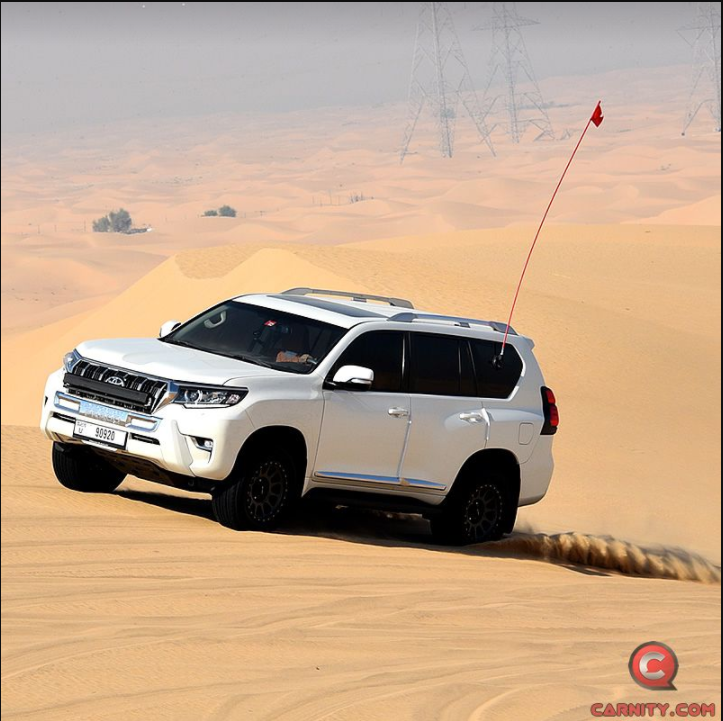
A safety flag is one of the most important safety items during desert driving. It improves your visibility to other vehicles, allowing convoy members and approaching vehicles to spot you well before reaching the top of a dune. Every off-roader is required to carry and use a proper safety flag on every drive. Flag Requirements Your safety flag must meet the following requirements: * Height: The flag should extend 2–3 metres (7–10 ft) above the roof of your vehicle. * Mounting: Install the flag vertically using a sturdy pole, preferably mounted to the roof or side window. * Visibility: The flag must remain upright and clearly visible throughout the entire drive. Approved Flag Types The following flag types are welcome: Solid color flags National flags Sports team flags Charity or social cause flags Custom personal designs Not Permitted The following are not permitted: Towels, rags, torn cloth, safety vests or plastic bags used as flags Political or religious flags Flags containing offensive language, symbols or images Respect the Club Your safety flag represents both you and the Carnity Offroad Club. Please choose a design that is respectful and appropriate for a family-friendly environment.
 1 point
This leaderboard is set to Dubai/GMT+04:00