
Leaderboard


Popular Content
Showing content with the highest reputation on 09/11/2018 in all areas
-
Your single and MOST important recovery tool that can help you get unstuck 75% of the time is the good full-size shovel. Not the foldable one, not the small spoon size for decoration, but the one laborer uses with a metal scoop and wooden or metal handle for proper displacement of sand. If you are lone surfer then I will highly recommend carrying two shovels, one with normal length and another one with longer length in case you need to reach deeper under the vehicle. Trust me in my 12 years of off-roading experience, I have seen people carrying the world in their car but except a proper shovel that alone can save the day so many times. See the last year desert training video in the gallery where we taught people getting unstuck from a crest with the help of shovel only. Second most important addon for self-recovery is the winch, that can pull you out from any sticky spot, provided you are ready to bury your spare wheel and hook the winch. Maxtrax recovery sand mats or a similar one you will only use when stuck in the super soft sand and if you are an experienced off-roader and know how to crawl out with engine LO power and constantly turning steering with the quick interval of accelerations up to 2k RPM, you will never need those tracks. I bought them too and hardly used once or twice out of fun and it's still eating dust. Last but not least advise for a lone surfer is to drive wisely and not be too adventurous, as mother nature always strike when you are least prepared.2 points
-
2 points
-
GCC, as I'm fairly new to Dubai and don't know any reliable mechanics I stayed well clear of American specs due to the stories of flooding and write-offs and what not. Not sure what the carnity view is on the whole GCC vs NA debate?...1 point
-
Sorry @desertdude bro thought you asked about the bike. Pajero is a 2004 model 2door v6 4x4. 17000kms driven. Paid 14k.1 point
-
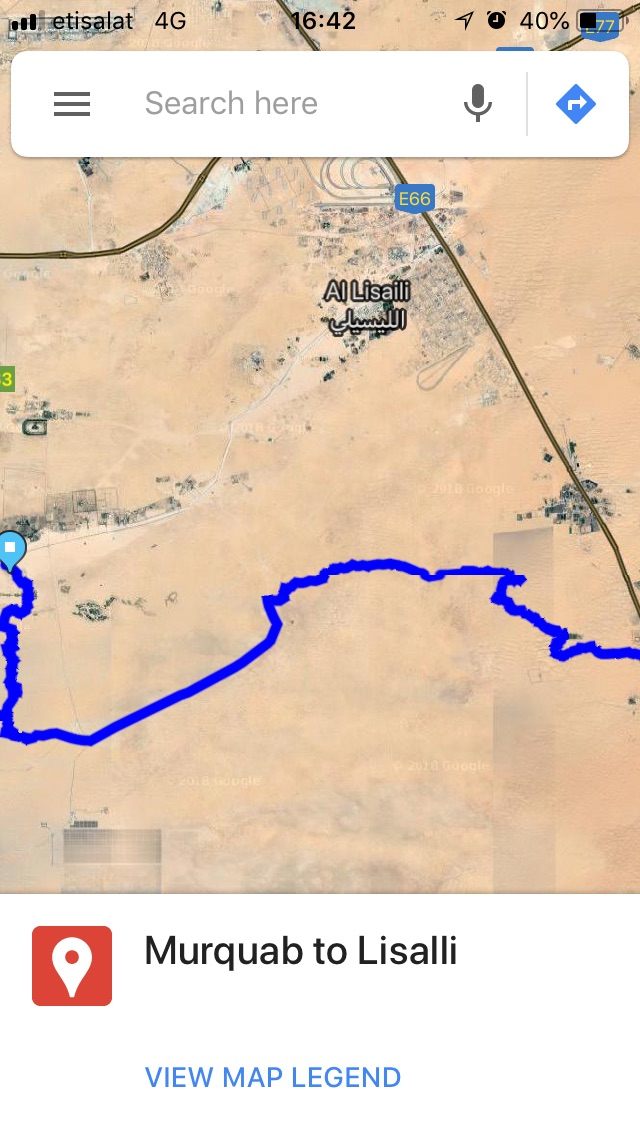
OK guys, seems i was a bit too soon to worry, i found the proper way to get them into Google Maps (IOS): Do this part with a desktop computer, not phone: 1) Download the files on a desktop computer. 2) Google "My Maps" and select "Create a new map" 3) Click on the blue "import" on the upper left hand corner, and drag and drop the KMZ file in there. 4) Give a name to your map. It will be saved automatically. This part involves using your phone: 5) Now restart your Google Maps application in your phone. Open the menu with the three lines. 6) Click on "Your places" and select "Maps". You should now find that new map you made in there. it goes without saying that both your desktop computer as your phone should be logged into the same google account.
 1 point


This leaderboard is set to Dubai/GMT+04:00