
Leaderboard


Popular Content
Showing content with the highest reputation on 02/06/2020 in all areas
-
Dear Carnity Offroaders, With the successful growth of the Carnity Offroad club we are now frequently having several convoys driving in the same area. Due to the fact that we were still working on one single frequency, this caused sometimes confusion and interference between convoys. Because of that, we have decided to add 4 new frequencies to our list, and to use the exisiting freqency 462.8875 Mhz only as backup purpose. A comprehensive explanation can be found below, and also shows the frequencies and tutorial on how to program them in your radio. Please familiarize yourself with your radio and try programming the channels at home. If in doubt you can approach us before briefing time so we have time to assist you in setting up your radio.7 points
-
I would recommend have some proper recovery points fabricated. I experienced these very similar tow hooks bended on me while recovering a truck, the recovery rope bounced back to my car, luckily I was using soft shackles.5 points
-
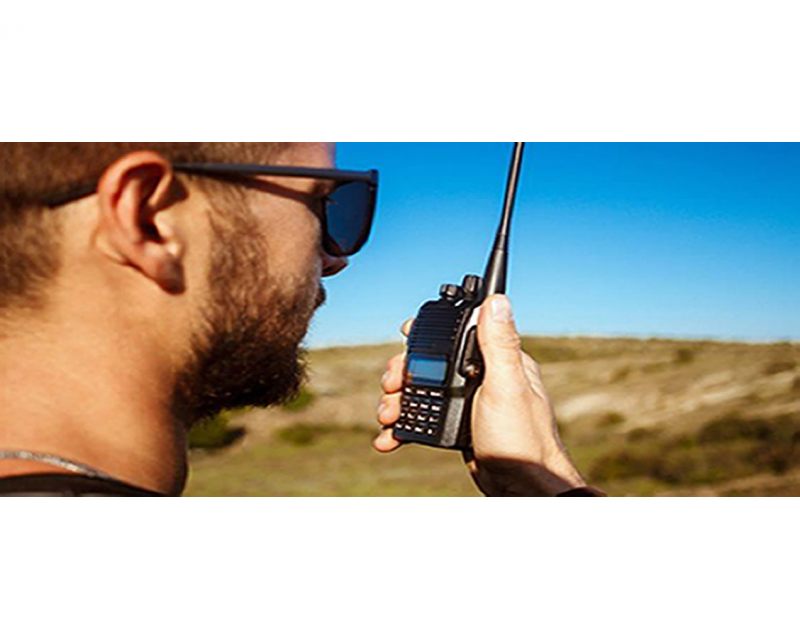 Two-Way Radio Guidelines A two-way radio is an essential safety device during every Carnity Offroad Club drive. It is the primary means of communication between the convoy members. Before the Drive Every participant must bring their own two-way radio. We highly recommend programming your radio with the Carnity frequencies listed below beforehand. We do not provide spare radios or program radios at the meeting point. For your very first club drive we can lend you a radio for that day only. Ensure your battery is fully charged before every drive. No radio = No drive. If you need help choosing, programming or operating your radio, simply create a topic on the Carnity website. Our community will gladly assist you. Radio Channels Carnity Offroad Club uses multiple radio channels so that several convoys can operate simultaneously without interfering with one another. Your Drive Lead will always announce the channel to use before the convoy starts. Recommended Radio Models and Brands UHF Two-Way Radio (400-470Mhz operating range). (VHF will not work). Handheld radio (built-in models can be purchased as extra but you need at least one handheld model. Recommended brands are: Baofeng (UV5R, UV5RH, UV5R Mini), Crony or Motorola MT777, TYT, Make sure it's equipped with a keypad so you can enter the frequency. Do not buy the models without keypad unless you are savvy enough to program with a separate USB cable and Chirp Software. Recommended Radio Settings For best compatibility with other convoy members, we recommend: Frequency Step: 6.25 kHz CTCSS / DCS: Disabled (unless instructed otherwise) VOX: Off Radio Etiquette Listen before transmitting. Keep messages short and clear. Do not interrupt emergency communications. Use the radio for convoy-related communication only. Follow the instructions of the Drive Lead and Marshals. The 10 radio frequencies are listed below: Technical Details STEP FREQUENCY: on the FM band, frequencies are spaced from each-other at a certain bandwidth. The Step frequency is basically the incremental change in your radio when you turn the rotary knob on top of your radio. When you program the radio to a certain frequency, you will need to make sure the appropriate step frequency has been set correctly. (see on the above frequency list). PTT: Short for PUSH-TO-TALK: This is the button on the side of your radio that you push when you want to broadcast a message. MON: Most radios have a Monitor button. When pushed you are basically monitoring the channel. If no-one is broadcasting you will just hear noise. But this is useful to set your desired volume. SQL or Squelch: To make sure that your radio does not pickup every little signal, the squelch acts as a gatekeeper to only allow a broadcast on your radio when it is strong enough or nearby enough. If you encounter a lot of noise that's being picked up by the radio, try changing the SQL setting a little bit. A higher setting makes the radio less sensitive to noise. RX and TX frequencies: RX stands for Receiving frequency, which TX stands for transmitting frequency. in Carnity we transmit and receive on the same channels. DCS / CT codes: These are basically encryption settings that allow a user to make sure only radios with exact same CT codes can listen in on the chatter. As these settings are confusing and complex, they should not be used (CT should not be showing on your display). Programming the Motorola/Crony MT777: Note: This radio has 2 operating modes called "Frequency" and "Channel". To switch between these modes, keep the ENTER button pressed while switching on the radio. Pressing the VFO/MR button while you're in Frequency mode will bring you to the combined mode, which is basically a screen that shows both the channel and the frequency. You can use either one of these modes during operation. To Program the Channels: 1. Make sure your radio is switched off. 2. Press the Moni (black button on top of the orange one on your left side), and MENU key together while switching on the radio. 3. Wait for the set to display SELF (which means manual setup). 4. Press Enter and it will show the Channel number. 5. You can choose which channel to program by selecting it from the rotary selector knob on the top of your device. 6. Once you have the desired channel, press ENTER. 7. Type your first frequency you want to program. 8. Press ENTER on every setting below to go through the advanced settings and verify if they are programmed as following: (If above settings are not correct they can be changed with the rotary knob on the top keep pressing enter until your set displays the next channel to be set). 03=OFF (if a number is showing here, push the *Lock button until OFF appears). 04= Enter the same frequency as the one you want to program. 05= OFF (if a number is showing here, push the *Lock button until OFF appears). 06= OFF 07= ADD 08= HIGH(H) 09= NARROW 10=-------- 9. Repeat from Step 5 to program the rest of your channels. Very useful Youtube video below: method for adding a single frequency later on, without going through the whole SELF programming mode again: 1. Make sure the radio is in Frequency Mode. Type in the frequency you want to program. E.g 446.00625 2. Press MENU and then press the VFO/MR button. The channel number will start to blink. 3. Use the rotary selector knob to select on which channel you want to save this frequency. 4. Press VFO/MR button again to confirm and exit. Keypad can be locked by pushing the * LOCK button for a few seconds. --------------------------------------------------------------------------------------------------------------------------------------------------- Programming the Crony CN888: Note: This radio has 3 operating modes called "Frequency", "VFO", and "Channel". You can toggle between these modes by pressing the orange Function button on the top left corner, followed by pressing 1 (Mode). Programming the radio as described below can only be done in VFO mode. 1. Switch on the radio. 2. Press the Function Key (orange button on top left corner). 3. Press 4 (STEP) until it shows 6.25. Press EXIT to confirm. 4. Now type the first frequency you want to program. Eg. 446.00625 5. Now press the # button. The Channel number in the corner of the display will start to blink. 6. Select with the A (up) or B(down) buttons to choose wich channel you want to save the frequency. 7. Press the C button. the radio will confirm by saying "SAVED AS RX FREQUENCY" 8. Press the # button again. The Channel number in the corner of the display will start to blink. 9. Press the D button. the radio will confirm by saying "SAVED AS TX FREQUENCY" Keypad can be locked by pushing the Function button, followed by the *F.L button. Programming the Baofeng UV5-R: When buying a radio like the Baofeng UV5R, many certain frequencies and channels are already programmed into the radio, but these are different from the ones we use in Carnity. As you will be programming 5 new channels onto Channel number 1 till 5, it is important to first delete these existing frequencies stored in those channels. You can do that as following: Step 1: Delete the existing channels from channel 1 till 5: 1- Switch on the radio 2- Press the MENU button followed by the buttons 2 and 8. (Menu 28). 3- Press MENU, and then use the UP/DOWN arrows to select which channel you want to clear. 4- Select CH1 and press MENU again, you will hear "delete channel, followed by confirmed". 5- Now go back to step 3 and do the same for the following channels (CH2-CH3-CH4-CH5). 6- Now all 5 channels are clear and ready to be programmed. Step 2: Set the step-frequency: - Switch on the radio - Press the MENU button and with the up and down buttons select STEP frequency. - Change this to 6.25 and press MENU to confirm. - Press EXIT to go back to the main menu. Step 3 Program the new frequencies in the radio: 1- Press the VFO button. You will hear the confirmation “frequency mode”. 2- Make sure the arrow is on the top line. If not, press the blue A/B button. 3- Type in the frequency you want to save. I.e 446.00625 4- Press MENU, followed by button 2 and 7 (menu 27). You will see MEM-CH. 5- Press MENU and now use the up and down buttons to select the channel you want to save it on. 6- Press MENU again to confirm. Your first frequency is now stored under channel 01. (receiving memory). 7- Press MENU TWICE again to confirm. Your first frequency is now stored under channel 01. (transmitting memory). 8- Press EXIT and repeat from step 3 onwards to program your remaining channels. Note: To program the Carnity backup frequency channel 5, you will need to set the step frequency to 12.5. When done, follow the same steps to program and save it under channel 05. You can either program these channels one by one into your radio, which is the easiest for you later on, or you can just enter the frequency without saving it. Some extra notes: Option 5 in your menu should be on Narrowband. Option 10 and 12 in your menu should be set to OFF (we are not using CT codes). BaoFeng_UV-5R_Manual_(1).pdf4 points
 -
Please be on time by 6:45 AM (Sharp), as we understand that sometime 5-10 minutes delay is unavoidable and that's why we always factor 15 mins buffer in every drive. Stretching this 15 minutes buffer further is extremely rude to all other member's time who are respecting each other time. Secondly briefing is must for everyone to attend at ALL LEVELS, even if you have attended already few times.4 points
-
For anyone not aware, tomorrow it the Dubai 70.3 Ironman. If you are anywhere in the Jumeira beach area, you probably already know about this. If not ... The bike ride route is attached - which means anything on and around the route to Al Qudra from the Marina will be closed from early on. While we all have an early start for drives normally, don't get caught out because it looks like roads will start to close from 5.30am ironman_703_dubai_bike.pdf4 points
-
It's better everyone program 4 new +1 old frequency in their radio so they are ready to tune any frequency anytime. Well done @Frederic for all the research, suggestion and tutorials. Good to to see another radio expert after @Rahimdadmanaging all this single handedly.4 points
-
NOTIFICATION to all Carnity Offroaders: Please have a look at below topic that notifies about the new Two-Way Radio Frequency list. For the members that have a radio already, please have a look if you can program it at home prior to the drive. If in doubt, kindly approach us before the drive briefing so we have some time to assist you in setting up your radio.4 points
-
He was driving a Jeep. Now it makes sense!4 points
-
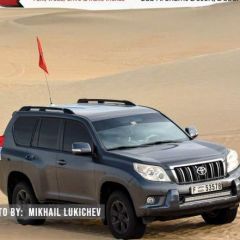
Hi Fred, thank you for your message, I already attended two Newbies before with my Prado, towpoints are good to go See you tomorrow inshaa Allah3 points
-
Thanks for the advice, as per the record citadel has 8.2" ground clearance and i will remove the bumper skirt (lower lip)3 points
-
Hi I have joined as well for tomorrow Drive. Mitsubishi Montero Sport I was driving on dunes in Fossil Rock area and few other places but I didn't try anything particularly challenging. Both towpoints fine. I don't have radio or any other off-road equipment.3 points
-
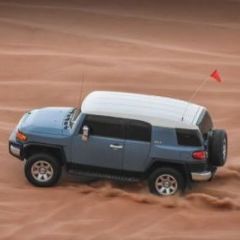
Admin/ Member contactable on phone# Hey Gaurav, Im driving FJ No previous offroading experience except some trials among the group of friends Both towpoints are in good condition3 points
-
Lack of motivation is the least of it. What is also lacking is the money to build power generating capacity, and the infrastructure to distribute it. 2035? In their dreams...3 points
-
May be he was using a proper mount during cruising ...3 points
-
I understand the concern, but it is all a bit of a hoax about dragon mart. (The Corona) There is a shop but quite far away that also sells the compressors, it is called Al Ghafa. If you type Al Ghafa for picnic accessories in google maps, you get the location.3 points
-
ok cool, ill see if i can get tow hooks today, if not ill just take the jeep. cheers thanks for the help3 points
-
So you manage to bribe the rostering god.....! Well done.2 points
-
@FredericHi, I have Mitsubishi Pajero 3.0 Had some small trips to the desert, nothing crazy. Yes, I have all the equipment and the car is ready...2 points
-
Welcome Syed, please RSVP the drive calendar. And for the first newbie off-road drive you don't need anything other than your 4x4, enthusiasm and willingness to learn.2 points
-
Welcome @Szymon Stankiewicz we do have spare radio for newbies that we can share it tomo.2 points
-
Hi There, I will be joining the newbie drive tomorrow. I own a stock Jeep Wrangler. I have been to few Fun drives organized by Gulf News in the past. See you all there. Biju Joseph2 points
-
@Xaf Thanks a lot. Found it on google. shall have all my gear for the next trip as can’t it today. Cheers,2 points
-
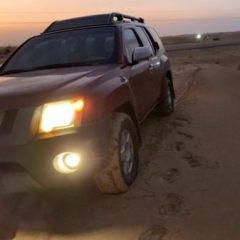
Hi dear nissan xterra yes some experience in the desert going with club like dubai offroaders and friends yes it is having tow points also having own compressor - Ropes With shakel - deflator and shovel2 points
-
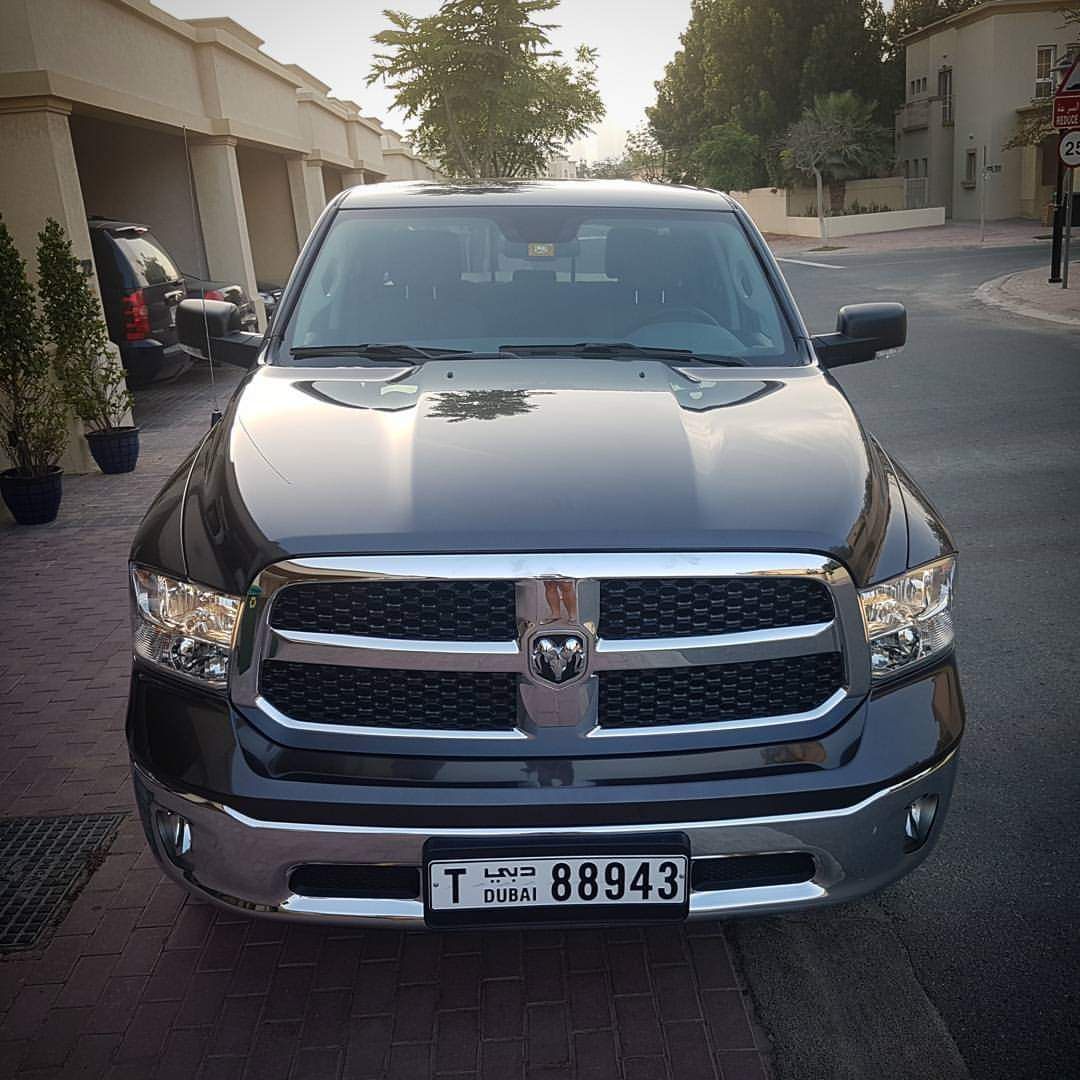
Hi Guys, a quick question will my RAM1500 which is stock standard be fine for the drive on friday? or should i rather bring my Jeep wrangler JK? (although i always wanted to try my truck in the desert)2 points
-
In the range of $80,000 to $165,000, leading car manufacturers are offering capable off road SUVs!! 326 HP & up to 707HP !! Hard to believe, after paying such handsome $$$$$$, who can think of venture off-road drive with them......... https://robbreport.com/motors/cars/go-off-road-with-top-luxury-suvs-2833237/2 points
-
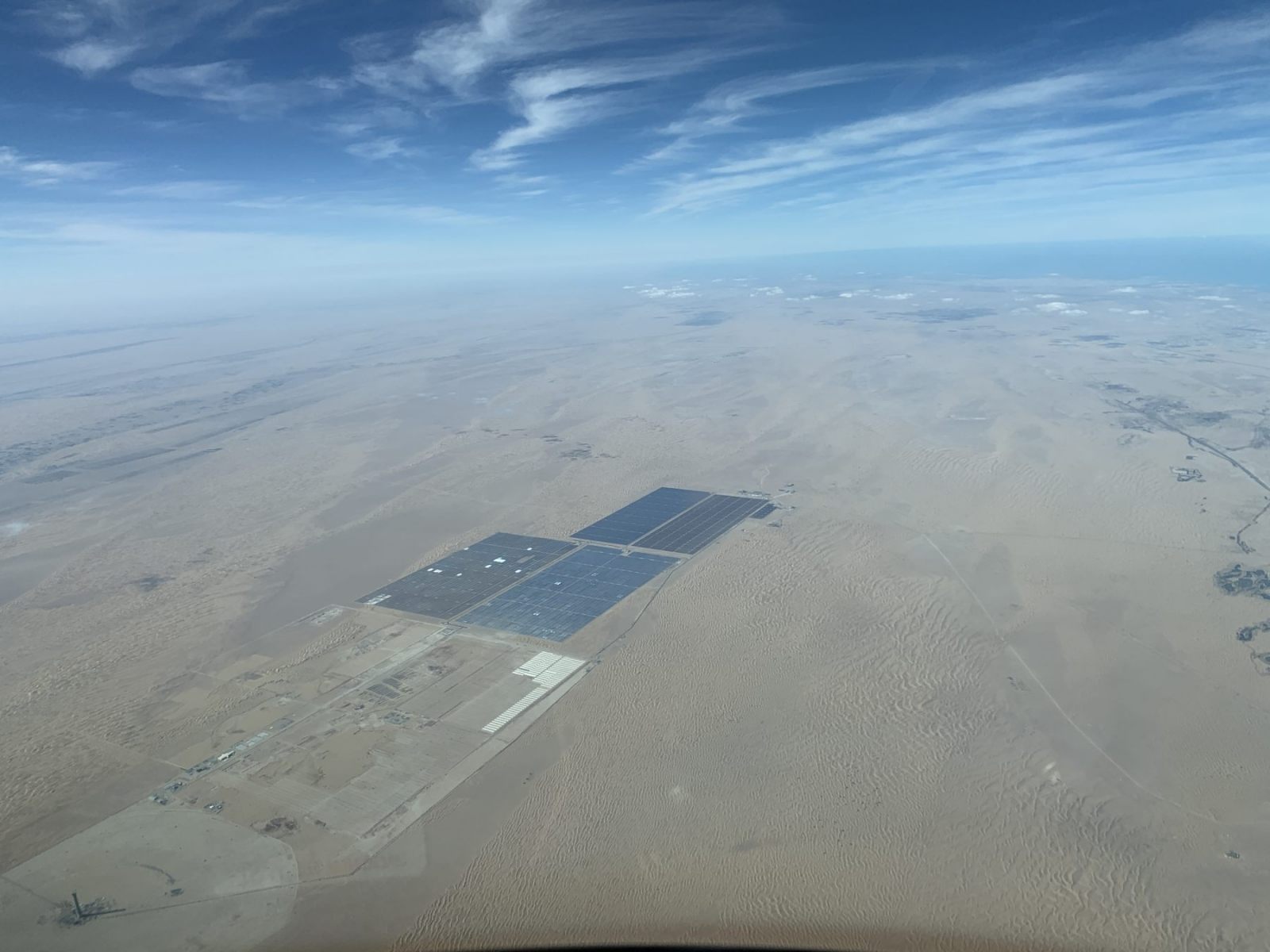
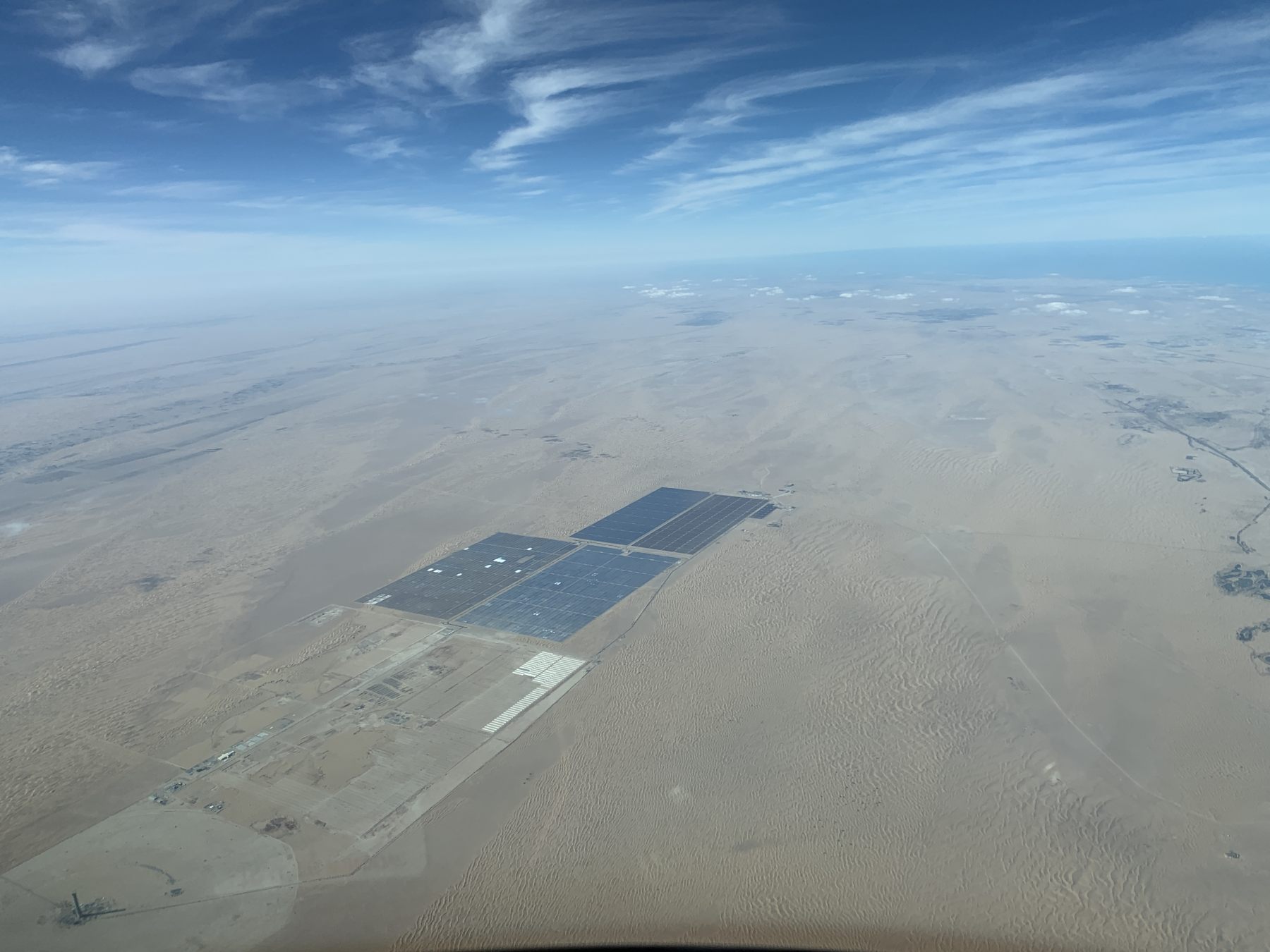
The solar park from another perspective.
 2 points
 -
It all depends on the rostering gods, standby whole month! Will rsvp last minute.2 points
-
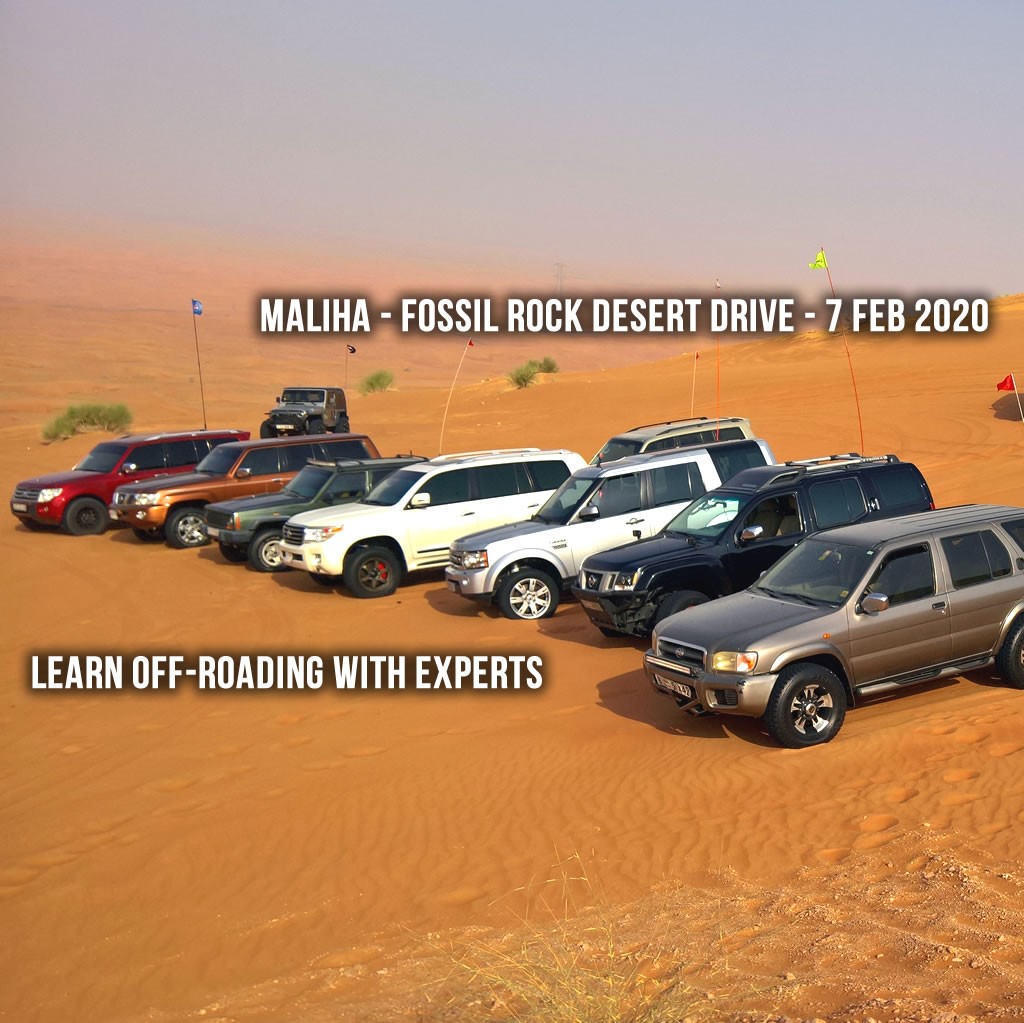
The Offroading season is in full swing, and the Carnity Team wants to deliver you an exciting morning of desert fun! This drive is suited to all first time desert drivers. Our group of trained seniors will guide you in making this a day you won't forget. Also people who have prior offroad experience will definitely continue to learn and embrace our Carnity Culture ! The famous red dunes of the Mahafiz - Fossil Rock area are a sight to behold, and easily adaptable to any level. The drive will start with a detailed briefing where we emphasize on safety aspects, explain the best practices, and make sure you enter the dunes well prepared. After deflating, we will drive 2-3 hours in sand dunes and then take a break for some refreshments over a feedback and assessment session for each offroader. We kindly advise all Absolute Newbies to provide a small introduction on this thread with basic information about themselves, which type of 4x4, prior offroad experience if any, and confirmation that the tow points are in good condition. When: 7 Feb 2020, Friday Meeting time: 6:45 AM, Briefing will start 7:00 AM sharp Where: Al Batayeh - Al Faya Road MEETING POINT GPS Coordinate: https://goo.gl/maps/uwFxCHGBWB37pPNi6 Level: All levels (Absolute Newbie and Newbie). Type of Car: Any proper 4x4 with front and back tow hooks and 10 inches of ground clearance. Plan: Drive, train and enjoy till about 11:30 AM What to bring along: Loads of water, snacks, smiles, stories, enthusiasm and willingness to learn. Approximate finish time: 12:00 PM - (much before Friday prayer) Friday Prayer Mosque 1: Shabiyat Bin Suhail Mosque Maliha - https://goo.gl/maps/t5W3uphN423z2QFJA Friday Prayer Mosque 2: Maliha Mosque - https://goo.gl/maps/UVtab2zBJTkwAS497 MUST READ: First off-road drive checklist Off Road Driving - Roles & Responsibilities Off road Driving Etiquette's Off-road Convoy Rules Off roading - Everything you need to know PLEASE RSVP ON BELOW CALENDAR:
 1 point
 -
Thanks. Did RSVP.1 point
-
Dear Frederic Front side two hooks are there back side i have to check Regds Riyaz1 point
-
Dear Biju, Please RSVP on the calendar by clicking on "GOING" so your name will appear in the list.
 1 point
 -
I will be joining tmrw. Is there anything else I have to do? Biju Joseph1 point
-
Hi, I am joining tomorrow and driving Patrol (y62). This is going to be my first offroad drive. From requirement list, I just have recovery Kinetic rope and air compressor. Let me know, if any thing else is mandatory for first drive. Regards, Syed1 point
-
@Gaurav Perfect! Thank you and see you tomorrow1 point
-
@Gaurav Is it ok to bring someone as a passenger?1 point
-
You can contact Admin through Contact us form or on landline: +971 4 2941804 (9AM - 6PM - Sun - Thu) Drive lead and senior members phone numbers are shared on drive post - page1, but only for emergency. We usually coordinate and plan everything here and everyone respond back pretty fast, even on early morning1 point
-
Hello, I have joined the Offroader club. Wish to participate for tomorrow Newbie Drive.1 point
-
Perfect. Thanks for the quick reply. See you on Friday !1 point
-
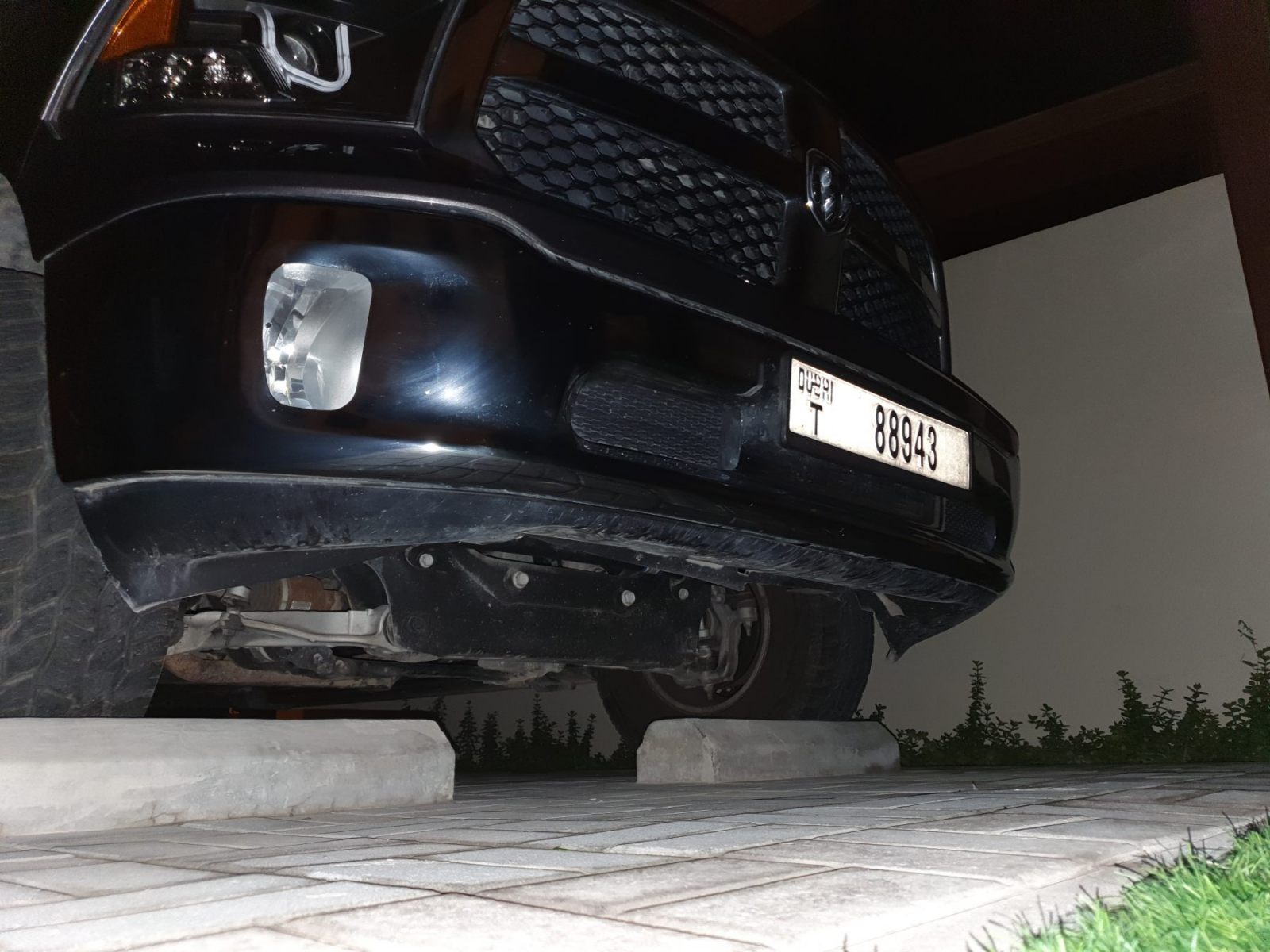
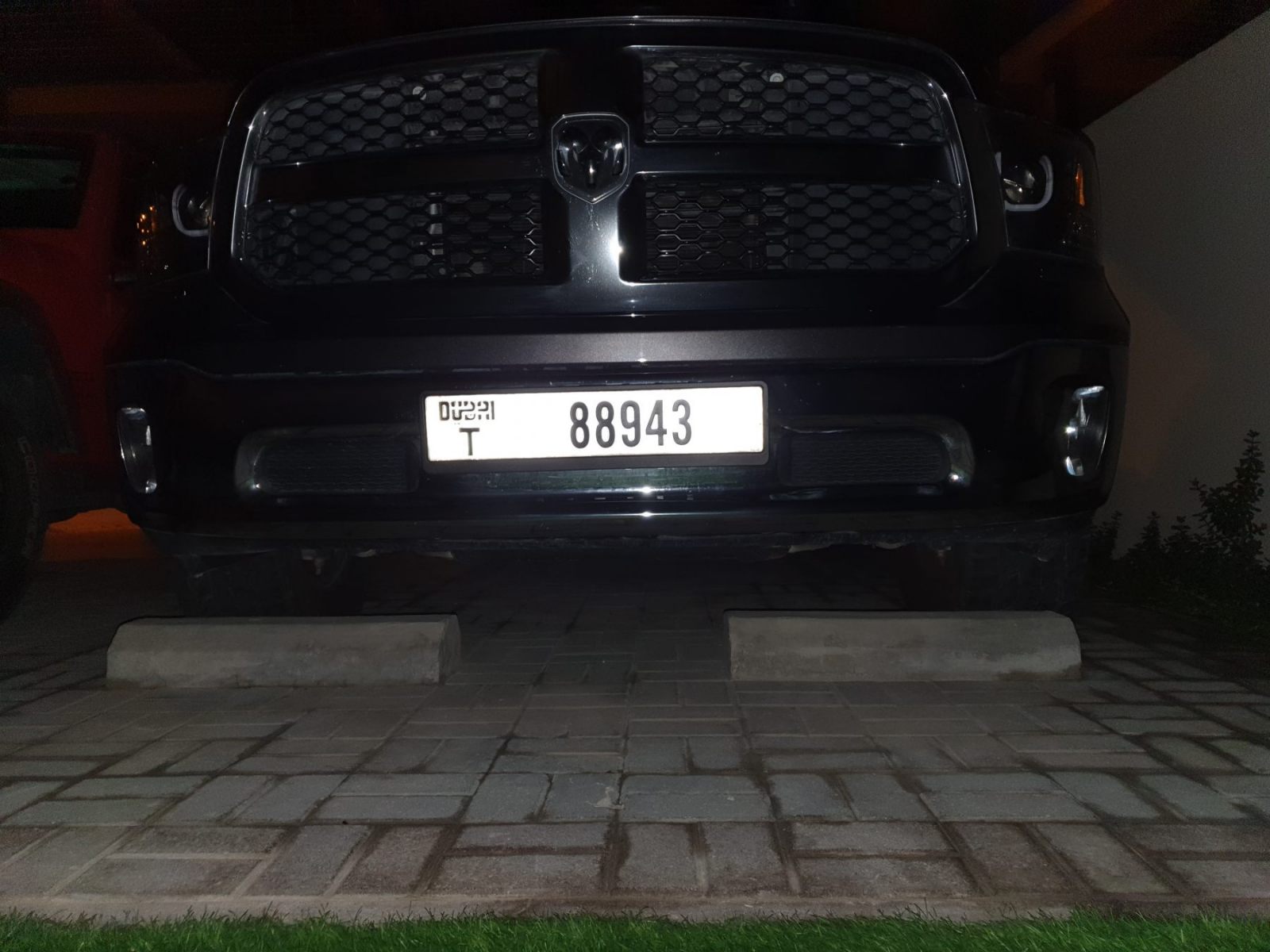
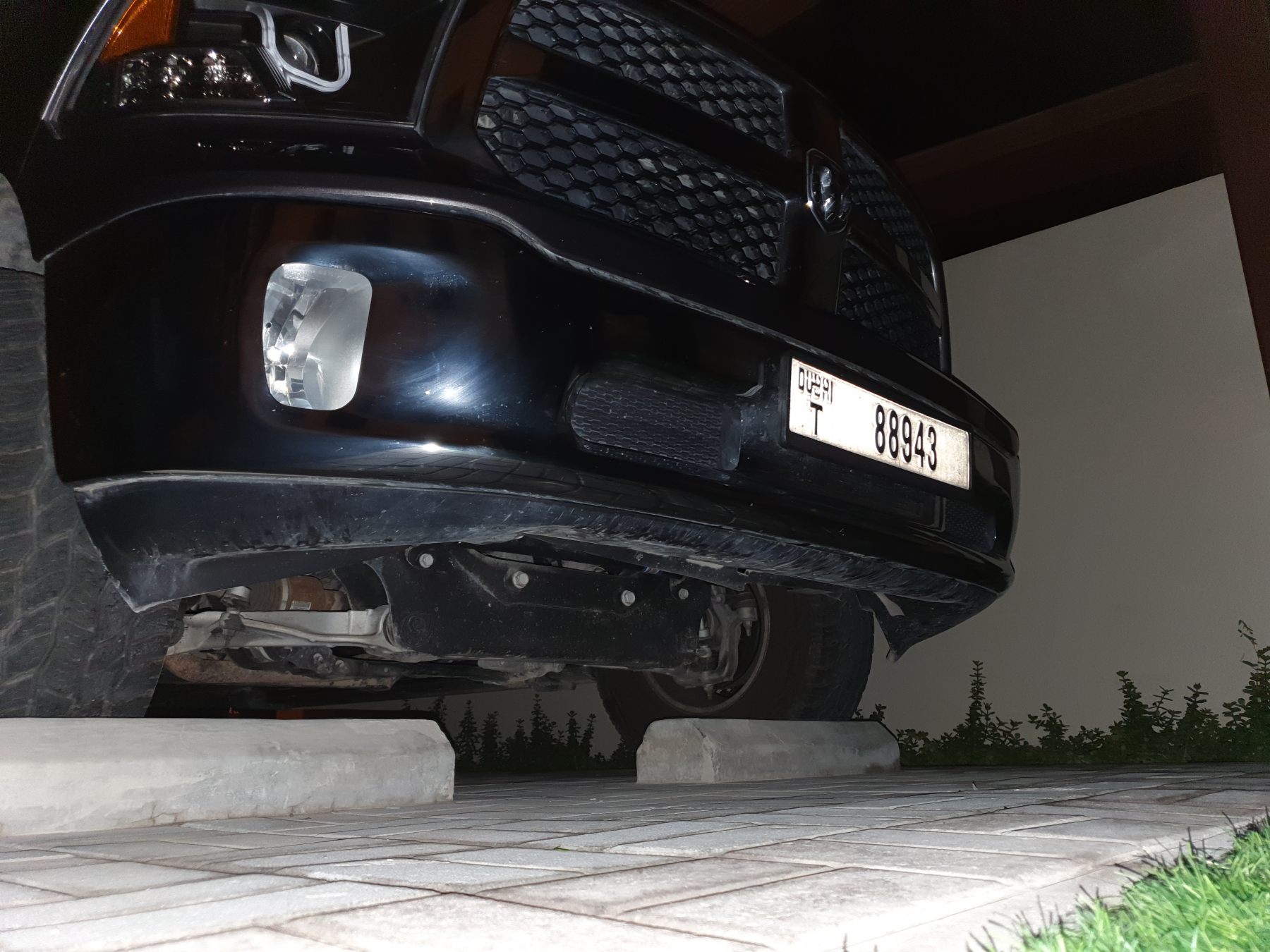
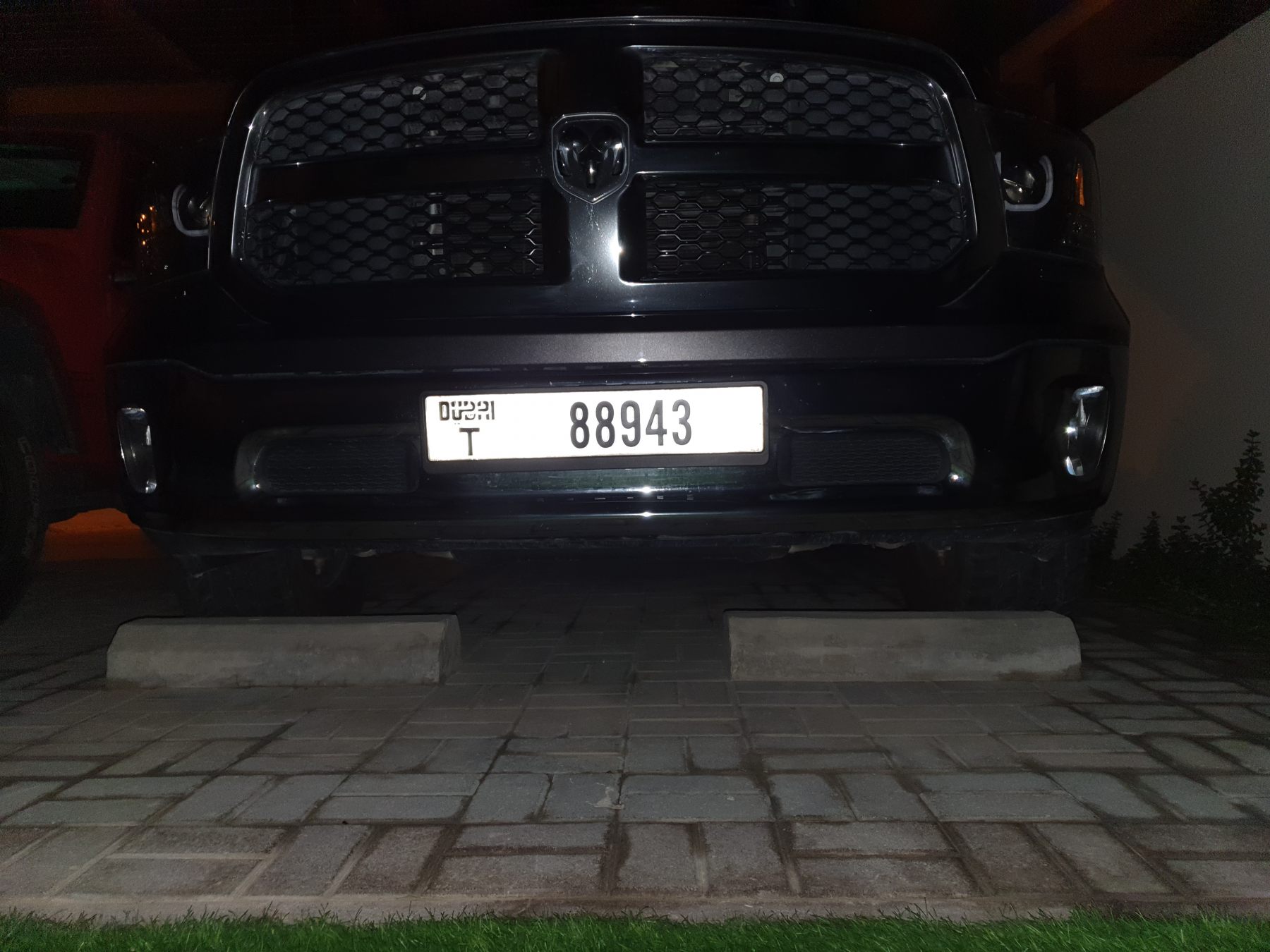
That doesn’t look good. I’ve been going through some forums and apparently the vehicle does not come with stock front tow hooks. Considering the weight of this truck i would not advise taking it to the desert. Recovery from both sides has to be possible at all times. installing Mopar tow hooks: https://youtu.be/G_M3oSq0ybc1 point
-
Ahhh ... but will wifey be driving?1 point
-
So there is a picture, my this model did not come out with stock front hooks. so im not too sure if there is a hidden tow point or not?
 1 point
 -
It should have stock tow hooks or tow points at the front. Send us some pictures if you’re in doubt.1 point
-
@Frederic Thank you very much and see ya on Friday 👊🏼1 point
-
No worries. We will give you a spare radio.1 point
-
I don't agree completely. By making laws you're basically putting a deadline on it. Some things never change if we are not forced too change. These deadlines ignites creative thinking. Humanity is able to do so many things but sometimes we lack the motivation.1 point
-
Well you can't makes laws hoping that technology catches on and is cheap enough for everyone in the future. Might as well make a law that by 2050 there will only be flying cars1 point
-
I'm going to shift to Africa.1 point
-
Not really totally devoid of truth. Usually you need to install a steel bumper in most cars to install a winch as they don't have any place to for them. The weight if winch. Even if your car does not droop with all this. It does make some difference when driving off-road as your front suspension is loaded and will bottom out faster. If you already have a place to install a winch on your ride the difference is negligeble1 point






This leaderboard is set to Dubai/GMT+04:00